Quick answer
Zybo Autonomous Car is an open source IoT project from Hackster.io, indexed by ZouIC. An autonomous car able to drive along a lane and react to roadsigns, obstacles and smart RFID markers, powered by OpenCV and Embedded Linux.
- Source
- Hackster.io
- Focus
- IoT
- Author
- Catalin Bitire
- Published
- 2019-04-06
Common questions
What does Zybo Autonomous Car do?
An autonomous car able to drive along a lane and react to roadsigns, obstacles and smart RFID markers, powered by OpenCV and Embedded Linux.
Where does Zybo Autonomous Car come from?
ZouIC indexes it from Hackster.io, original page at https://www.hackster.io/catalin-bitire/zybo-autonomous-car-2d343d.
What stack does Zybo Autonomous Car use?
tags AMD Xilinx, wip, advanced.
When was Zybo Autonomous Car published?
The source page lists 2019-04-06.
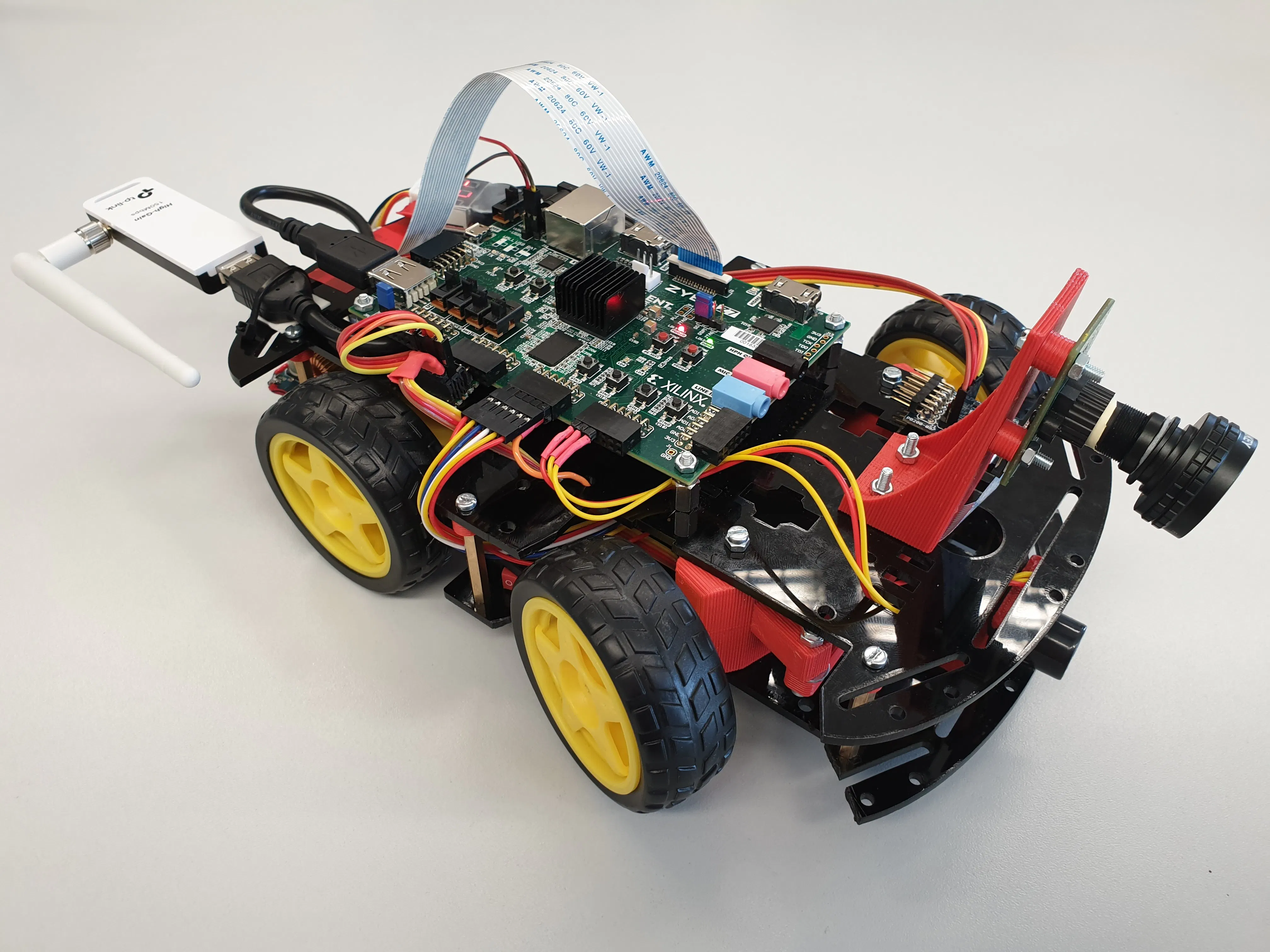
Indexed by ZouIC from the source platform public page, for developer reference only. Copyright and licensing stay with the author; get code and files from the original platform.
Zybo Autonomous Car
Published 2019-04-06
An autonomous car able to drive along a lane and react to roadsigns, obstacles and smart RFID markers, powered by OpenCV and Embedded Linux.
Technical Specifications
Related resources and purchase links
Statistics
Project Info
Author Info
Related Links
Keep exploring
Citation Note
This content is sourced from Hackster.io Platform,All rights reserved by the original author. This platform only provides indexing and summaries. For detailed content, please visit the original link.